4 phút đọc
marin-m/pbtk: A toolset for reverse engineering and fuzzing Protobuf-based apps – Repository marin-m/pbtk. Mô tả: A toolset for reverse engineering and fuzzing Protobuf-based apps. 1679 stars, 201 forks, ngôn ngữ chính Python, cập nhật 2026-08-26.
1. Repository làm gì?
Protobuf is a serialization format developed by Google and used in an increasing number of Android, web, desktop and more applications. It consists of a language for declaring data structures, which is then compiled to code or another kind of structure depending on the target implementation.
pbtk (Protobuf toolkit) is a full-fledged set of scripts, accessible through an unified GUI, that provides two main features:
Extracting Protobuf structures from programs, converting them back into readable .protos, supporting various implementations:
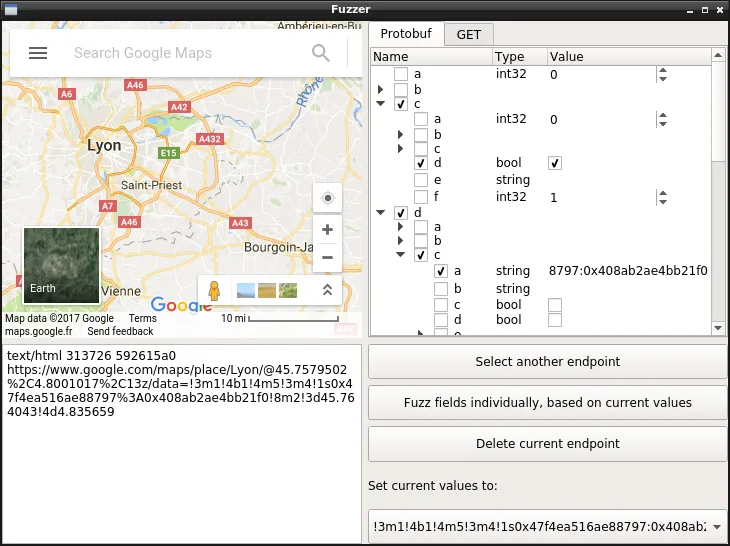
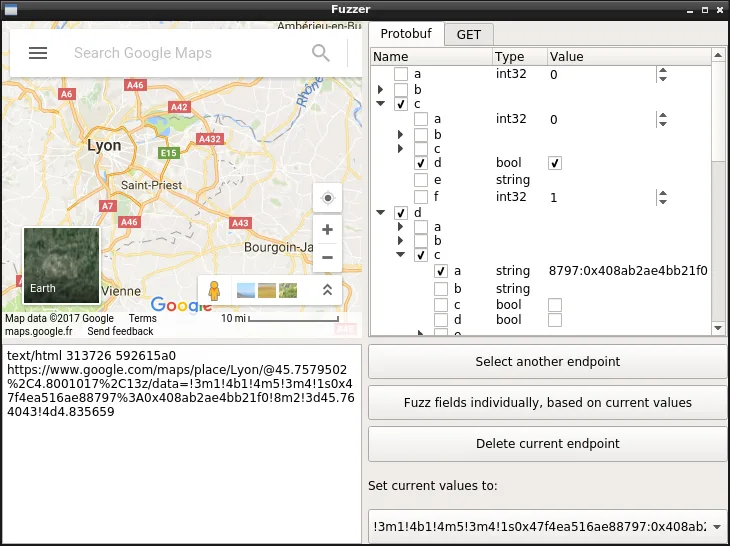
Editing, replaying and fuzzing data sent to Protobuf network endpoints, through a handy graphical interface that allows you to edit live the fields for a Protobuf message and view the result.
PBTK requires Python ≥ 3.10, PySide 6, Python-Protobuf 3, and a handful of executable programs (chromium, jad, dex2jar…) for running extractor scripts.
Ubuntu users can install it using snap:
2. Dữ liệu và cấu trúc đáng chú ý
Archlinux users can install directly through the package:
On most other distributions, you'll want to run it directly:
Windows is also supported (with the same modules required). Once you run the GUI, it should warn you on what you are missing depending on what you try to do.
Command line usage (installing through package manager)
The GUI can be lanched through the main script:
The following scripts can also be used standalone, without a GUI:
When install from snap, the exact commands differ:
3. Khả năng ứng dụng và giới hạn
Let's say you're reverse engineering an Android application. You explored a bit the application with your favorite decompiler, and figured it transports Protobuf as POST data over HTTPS in a typical way.
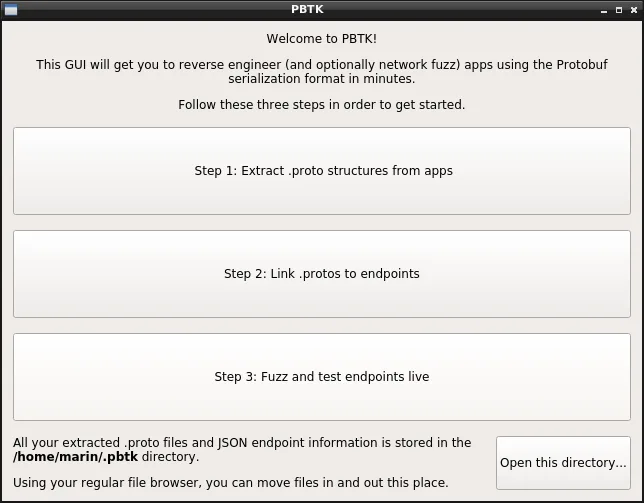
You open PBTK and are greeted in a meaningful manner:
The first step is getting your .protos into text format. If you're targeting an Android app, dropping in an APK and waiting should do the magic work! (unless it's a really exotic implementation)
This being done, you jump to ~/.pbtk/protos/ (either through the command line, or the button on the bottom of the welcome screen to open your file browser, the way you prefer). All the app's .protos are indeed here.
Back in your decompiler, you stumbled upon the class that constructs data sent to the HTTPS endpoint that interests you. It serializes the Protobuf message by calling a class made of generated code.
This latter class should have a perfect match inside your .protos directory (i.e com.foo.bar.a.b will match com/foo/bar/a/b.proto). Either way, grepping its name should enable you to reference it.
That's great: the next thing is going to Step 2, selecting your desired input .proto, and filling some information about your endpoint.
You may also give some sample raw Protobuf data, that was sent to this endpoint, captured through mitmproxy or Wireshark, and that you'll paste in a hex-encoded form.
Step 3 is about the fun part of clicking buttons and seeing what happens! You have a tree view representing every field in the Protobuf structure (repeated fields are suffixed by "+", required fields don't have checkboxes).
Số liệu repository có thể thay đổi; nên mở liên kết nguồn để kiểm tra README, giấy phép và trạng thái phát hành.
Nguồn tham khảo: Xem bài gốc