6 phút đọc
ridafkih/keeper.sh: Calendar sync tool & universal calendar MCP server. Aggregate, sync and control calendars – Repository ridafkih/keeper.sh. Mô tả: Calendar sync tool & universal calendar MCP server. Aggregate, sync and control calendars on Google, Outlook, Office 365, iCloud, CalDAV or ICS.. 1253 stars, 45 forks, ngôn ngữ chính TypeScript, cập nhật 2026-08-19.
1. Repository làm gì?
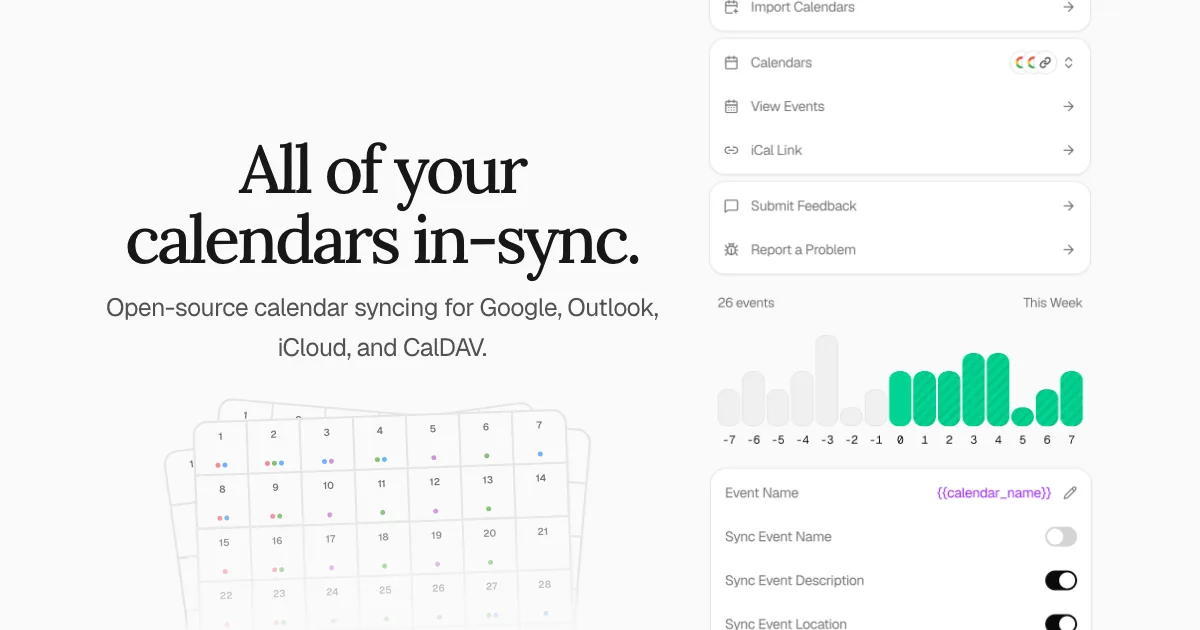
Keeper.sh is a simple & open-source calendar syncing tool. It allows you to pull events from your Google Calendar, Outlook, iCloud, Fastmail, CalDAV server, or remotely hosted iCal and ICS links, and push them to one or many calendars so the time slots can align across them all. Google, Outlook, iCloud, Fastmail, and CalDAV are first-class integrations that can each be used as a source or as a destination, while iCal and ICS links are pull-only. It also serves as a global MCP server and API for you or your agents to manage all your calendars from one convenient interface.
The recommended way to run it is the hosted version at keeper.sh: the same code, minus the server, the domain, the upgrades, the backups and the Google and Microsoft sign-in apps you would otherwise register yourself. Self-hosting is a first-class path and every Pro feature is included when you self-host — that is not a trial, and it is not going away. It costs you the upkeep instead of the $5.
If you encounter a bug or have an idea for a feature, you may open an issue on GitHub and it will be triaged and addressed as soon as possible.
High-value and high-quality contributions are appreciated. Before working on large features you intend to see merged, please open an issue first to discuss beforehand.
The dev environment runs behind HTTPS at https://keeper.localhost using a Caddy reverse proxy with automatic TLS. The .localhost TLD resolves to 127.0.0.1 automatically per RFC 6761 — no /etc/hosts entry is needed.
The dev environment runs behind HTTPS via Caddy. You need to generate a local root certificate authority and trust it so your browser accepts the certificate.
2. Dữ liệu và cấu trúc đáng chú ý
Then trust it on your platform:
This starts PostgreSQL, Redis, and a Caddy reverse proxy via Docker Compose, along with the API, web, MCP, cron, and worker services locally. Once running, open https://keeper.localhost.
Because I needed it. Ever since starting Sedna—the AI governance platform—I've had to work across three calendars. One for my business, one for work, and one for personal.
Meetings have landed on top of one-another a frustratingly high number of times.
Why not use this other service?
Use one if it already works for you. This one exists because of the two things I kept hitting: events deleted at the source that stayed on the destination forever, and no way to read the code that was handling my calendar.
Both are addressed by design here. A deletion is tracked by a mapping row that outlives the event it pointed at, so the remote copy still gets removed on a later pass, and the cleanup sweep only ever touches events Keeper.sh created — it will not delete an event you made yourself. And the engine is AGPL-3.0, so you can check that claim rather than take it.
3. Khả năng ứng dụng và giới hạn
How does the syncing engine work?
Events are flagged as having been created by Keeper.sh either using a @keeper.sh suffix on the remote UID, or in the case of a platform like Outlook that doesn't support custom UIDs, we just put it in a "keeper.sh" category.
There are two halves, and they run on separate schedules.
Ingestion pulls from your sources into Keeper.sh's own database once a minute, regardless of plan. Google and Outlook are fetched incrementally using the provider's own sync token and delta link respectively, so a run only asks for what changed since the last one. CalDAV, iCloud, and Fastmail are refetched and diffed against the event state Keeper.sh already has stored, and iCal/ICS links are refetched and diffed against the last stored snapshot.
Pushing to destinations is what the refresh interval in the pricing table refers to. The cron service enqueues a job per destination onto a Redis-backed queue every minute for Pro and every thirty minutes for free, and the worker service reconciles the destination calendar. This is polling on our side rather than provider push notifications, so nothing needs to reach your instance from the outside.
Neither half is schedule-only. POST /api/v1/sync, or trigger_sync over MCP, clears the ingest backoff so your sources are re-polled on the next pass and enqueues the push half straight away, throttled to one request per minute per user so a client cannot hammer your providers. A calendar paused with pause_sync is skipped by both halves until it is resumed.
This is the version I would point most people at, including people perfectly capable of running it themselves. It is the same engine on hardware I keep running, so the hours go into your calendar instead of your infrastructure — and paying for it is what funds the work on both versions.
Head to keeper.sh to get started with the cloud-hosted version.
The two limits that bite first are counted separately. A linked account is one connected Google, Outlook, iCloud, Fastmail, or CalDAV account, or one iCal/ICS subscription, and free is capped at two of them however many calendars each exposes. A sync mapping is one source calendar wired to one destination calendar, and free is capped at three, so a single source fanning out to three destinations uses the whole allowance. The refresh interval is how often Keeper.sh pushes to your destinations; ingestion from your sources runs every minute on every plan.
Số liệu repository có thể thay đổi; nên mở liên kết nguồn để kiểm tra README, giấy phép và trạng thái phát hành.
Nguồn tham khảo: Xem bài gốc